
 Gifts
 Discounts


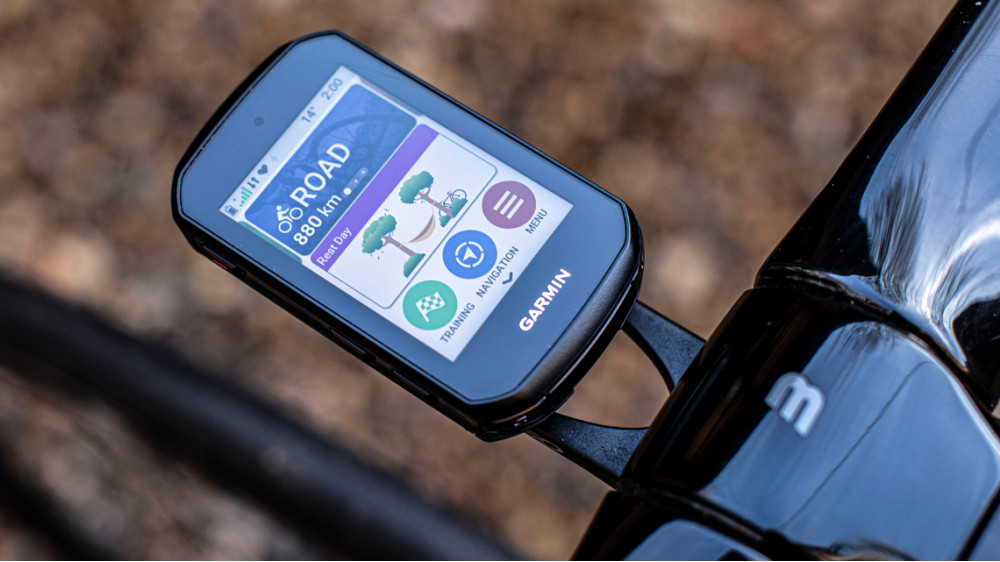
If you're buying a bike computer primarily for maps and turn-by-turn directions, start with the Garmin Edge Explore 3. If you want a compact model for training, choose the button-operated Edge 550 or the touchscreen Edge 850. If a larger screen for maps and ride data is your priority, compare the Edge 1050 and Edge 1060. For voice controls, consider the Edge Explore 3 Plus and Edge 1060.
Which Garmin Edge Should You Choose? Bike Computer Comparison
2026-11-22
 Viktorija Kaupienė
Garmin Edge bike computer comparison
| Model | Display and controls | Battery life with intensive use | Battery life in battery saver mode | Best for |
|---|---|---|---|---|
| Edge Explore 3 | 3-inch touchscreen | Up to 16 hours | Up to 48 hours | Touring with maps and turn-by-turn directions |
| Edge Explore 3 Plus | 3-inch touchscreen, voice commands | Up to 14 hours | Up to 48 hours | Touring with spoken navigation instructions and voice controls |
| Edge 550 | 2.7-inch display, button controls | Up to 12 hours | Up to 36 hours | Training with physical button controls |
| Edge 850 | 2.7-inch touchscreen and buttons | Up to 12 hours | Up to 36 hours | Training with a touchscreen in a compact device |
| Edge 1050 | 3.5-inch touchscreen | Up to 20 hours | Up to 60 hours | A larger screen for maps and training data |
| Edge 1060 | 3.5-inch touchscreen, additional buttons and voice commands | Up to 20 hours | Up to 60 hours | A large screen with more control options |
The table shows the manufacturer's stated battery life. Actual battery life depends on screen brightness, GPS settings and connected sensors. For long rides with the map displayed continuously, use the intensive-use figures as your guide.
Edge Explore 3 vs Explore 3 Plus – what's the difference for touring?
Both models include cycling maps, provide turn-by-turn directions and help you find places to stop along your route. If you mainly follow on-screen directions, the Edge Explore 3 is sufficient.
The Edge Explore 3 Plus has a speaker and microphone. You can hear turn instructions without looking at the screen or use a voice command to find the nearest café. The Plus version is worth the extra cost if you'll use these features. Garmin rates the standard model for up to 16 hours of intensive use, compared with up to 14 hours for the Plus.
Edge 550 vs Edge 850 – when is a touchscreen worth it?
Both models feature the same size colour display, cycling maps and training features. The Edge 550 is operated using buttons. It's a good choice if you usually follow a pre-planned route and prefer switching between data screens with physical buttons.
The Edge 850 also has buttons, while its touchscreen makes it easier to pan and zoom the map. It also includes a speaker that works as a digital bike bell. Before paying more, consider how often you interact with the map while riding. Both models have the same stated battery life.
Edge 1050 vs Edge 1060 – is the upgrade worth it?
Both models have a 3.5-inch touchscreen and the same stated battery life. If you mainly want a larger display to make maps and training data easier to read, the Edge 1050 is sufficient.
The Edge 1060 is worth considering if you want additional physical buttons or plan to use voice commands. For example, you can ask the device to read out your ride metrics or find a place to stop.
Important language information. Voice commands on the Edge 1060 and Edge Explore 3 Plus are only available in supported languages. Lithuanian is not currently included in Garmin's list of supported voice command languages.
What should you check before buying a Garmin Edge?
- Sensors and package contents. If you want to monitor heart rate, cadence or power, check compatibility with your existing sensors and what's included in the selected package.
- Mount. Check whether the included mount fits your handlebars and whether the installed computer will obstruct other accessories.
- Battery life. Compare models using the same operating mode and consider how long your longest rides usually last.
Browse all Garmin bike computers. If you're still unsure whether you need navigation, read our guide to bike speedometers and GPS bike computers.